Building a Voice-Controlled 3D Design Assistant with MCP
Dev Narang
January 2026
Building a Voice-Controlled 3D Design Assistant with MCP
The Model Context Protocol (MCP) isn't just a theoretical standard—it enables us to build powerful, modular AI applications today. To demonstrate this, we built mcp_3d, a voice-controlled 3D design assistant that turns spoken language into rendered 3D scenes.
Instead of building one massive, monolithic application, we used MCP to break the problem down into specialized "agents" (servers) that a central brain (Claude) could orchestrate.
The Architecture
Our system consists of a Python-based MCP Client that listens to voice input and connects to three distinct MCP Servers, plus a frontend with advanced interaction capabilities:
texture-fetch-server: This tool connects to the Polyhaven API. When a user asks for "rustic wood," this server searches for high-quality PBR textures, uses AI to select the best visual match, and downloads the files locally.create-object-server: This is where the magic happens. We use Google's Gemini model to "decompose" a complex object. If you ask for a "table," this server calculates the dimensions for the legs and tabletop, positioning them in 3D space as primitive shapes (cubes, cylinders).open-renderer-server: This server controls a local Next.js web application. It takes the generated geometry and downloaded textures, spins up a local web server, and opens your browser to display the fully interactive 3D model.
Touching the Future: Hand Tracking & Projectors
We didn't just stop at voice control. The 3D renderer includes real-time hand tracking (using MediaPipe) that allows you to interact with the scene using gestures.
- Pinch to Zoom/Rotate: Use natural hand movements to inspect the model.
- Touchless Interface: No mouse or keyboard required.
The End Goal: "The Design Mat"
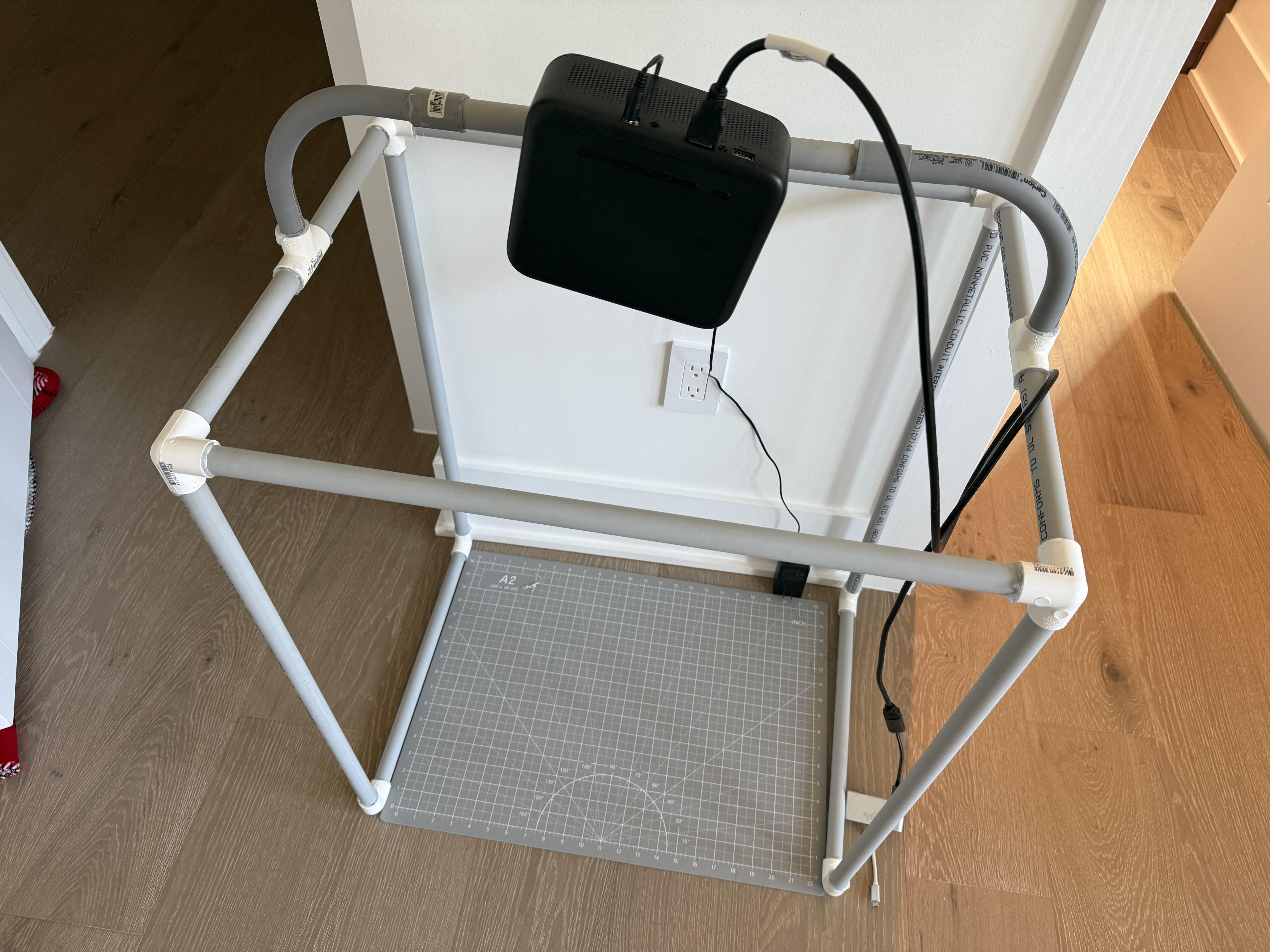
The ultimate vision for this project goes beyond the screen. By combining this MCP-powered workflow with a ceiling-mounted projector and a dedicated hand-tracking camera, we aim to create an augmented reality "Design Mat."
Picture this: You're standing in front of a blank floor or table. The projector beams down a grid, turning any surface into your canvas. You simply click on the floor with your hand to place a 3D object, speak to modify its properties, and use gestures to manipulate it in real-time.
The Experience:
- Point and Click: Touch the projected surface to place objects exactly where you want them
- Voice Commands: Say "make this marble" or "add a wooden chair next to it"
- Gesture Manipulation: Pinch to scale, rotate with your hand, drag to reposition
- Real-time Rendering: Watch as textures load and objects materialize before your eyes
Imagine designing a kitchen layout by literally walking around the room, pointing at the floor to place cabinets and appliances, speaking to change countertop materials, and using your hands to adjust dimensions. The MCP system handles all the complex logic (fetching textures, generating geometry, managing state) while the physical interface remains completely natural and intuitive.
This turns 3D design from a technical task requiring software expertise into a tactile, creative experience accessible to anyone. Architects could collaborate in real-time, interior designers could show clients exactly what their space will look like, and hobbyists could prototype furniture before building it—all by simply pointing at the floor and speaking.
The Workflow in Action
The user experience is seamless:
User: "Create a modern coffee table with dark oak wood."
Behind the scenes, the MCP Client (Claude) analyzes this request and decides which tools to use:
- Claude calls
fetch_textureto get "dark oak" texture files. - Claude calls
create_objectto generate the JSON geometry for a coffee table, applying the texture path we just downloaded. - Claude calls
open_rendererto visualize the result.
Why MCP Was Critical
Without MCP, we would have had to hard-code the logic for texture fetching, geometry generation, and rendering into a single, fragile script. With MCP, these are independent tools. We could swap out the renderer for a different engine or change the texture source without breaking the rest of the system.
This project proves that MCP is the perfect framework for building complex, multi-step agentic workflows. It turns the AI from a chatbot into a conductor, orchestrating specialized tools to build something real.
Dev Narang
Web developer and tech enthusiast sharing knowledge and experiences.
Comments (0)
Related Posts

Why I Chose to Study Data Science
For me, what makes data science so exciting is that it really lets you create real things with tangible results out of a messy, complicated world.
The 'Brain' You Own vs. The 'Brain' You Rent: Why Open Source Wins the AI Business War
OpenAI sells a fish; Meta gives you the genetics to breed your own. Why open-source AI models provide the customization, privacy, and control required to build a defensible business moat.